
What does Hands Off! do?
Hands Off! 4.1.0 for macOS is a privacy and firewall management tool. The software controls outgoing and incoming network connections on a Mac. It helps you see which apps access the internet and when they do it. The main goal is to give you clear control over network activity.
Hands Off! works by monitoring system processes and application connections in real time. You can allow, block, or limit network access based on rules. The tool also tracks changes in network behavior and alerts you when something unusual happens. This supports safer daily Mac usage.
Hands Off! is suitable for macOS users who care about privacy, security, and system transparency. Developers, remote workers, and advanced users benefit from detailed network control. Regular users gain clearer insight into background connections without complex setup.
What problem does it solve?
Hands Off! 4.1.0 for macOS solves the problem of hidden network activity. Many Mac apps connect to the internet without clear notice. Users often do not know which apps send data, when connections start, or why traffic happens. This creates privacy and security concerns.
The software helps you see and control these connections. Hands Off! shows which applications and system services access the network. You can block unwanted connections or allow trusted ones. This reduces the risk of data leaks, tracking, and unauthorized access. It also helps prevent background apps from using bandwidth without permission.
Users need Hands Off! when they want more transparency and control. Remote workers protect sensitive data. Developers test app behavior. Everyday users gain peace of mind by understanding what runs on their Mac.
Which Features Make Hands Off Stand Out?
App Network Control
Hands Off! lets you control which apps use the internet on your Mac. The software shows every app that tries to connect online. You decide if the app can connect or not. This control helps you stop apps you do not trust. You stay aware of what happens in the background.
Clear Connection Alerts
Hands Off! sends alerts when an app starts a new internet connection. The alert appears right when the action happens. You can allow or block the connection at once. This helps you act fast and avoid silent data use. You always stay informed about new activity.
Easy Rule Creation
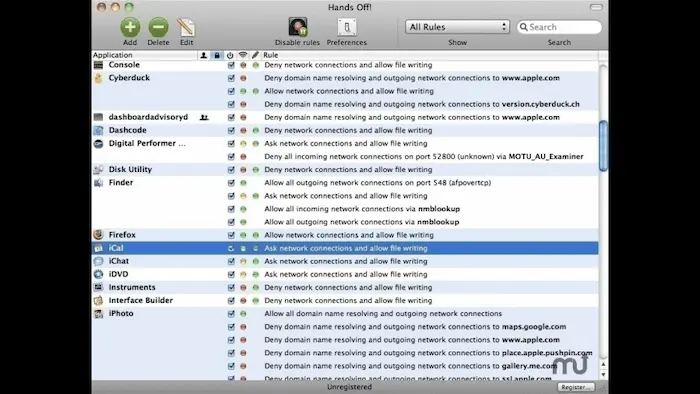
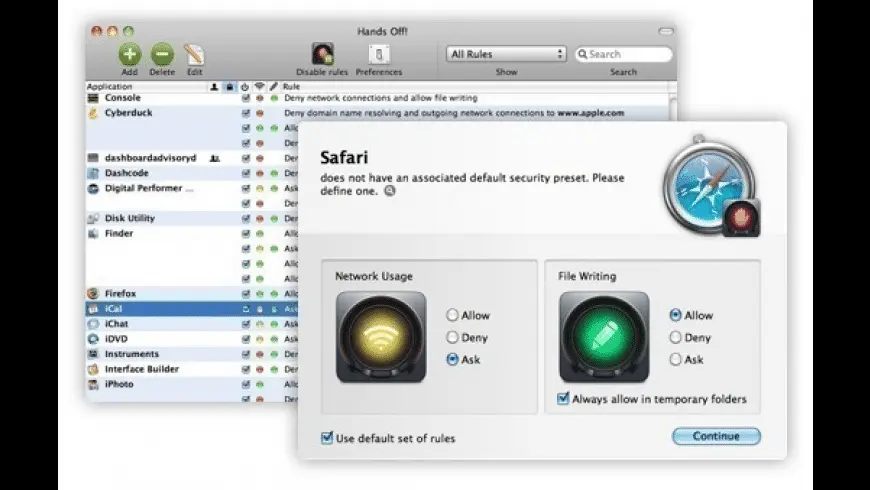
Hands Off! allows you to create simple rules for app behavior. You choose which apps can go online and which cannot. The software saves your choices and follows them every time. This removes the need to repeat actions. The rules keep your system steady and clear.
Real-Time Activity View
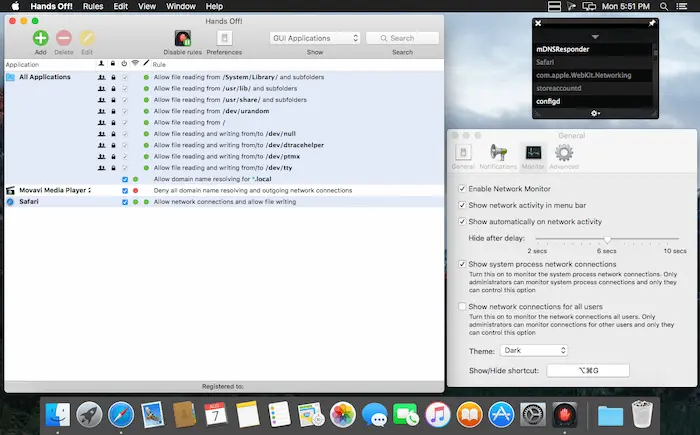
Hands Off! shows live network activity in one clear view. You see which apps send or receive data right now. This view helps you understand how your Mac uses the internet. You do not guess or search for hidden actions. Everything stays visible and easy to follow.
Background App Control
Hands Off! helps you manage apps that run in the background. Many apps connect online without clear notice. The software shows these actions and gives you control. You can stop silent connections that you do not need. This keeps your system calm and organized.
Privacy Protection Support
Hands Off! supports better privacy during daily use. The software helps limit data sharing by unknown apps. You control when and how apps reach the internet. This reduces unwanted tracking and data flow. Your personal use stays more private and safe.
Simple User Interface
Hands Off! uses a clean and easy design. The layout helps beginners understand each option. You do not need deep system knowledge to use it. Buttons and alerts stay clear and readable. This makes daily control simple and stress free.
Useful for Many Users
Hands Off! fits many real user needs. Remote workers protect work data during online tasks. Developers check how apps behave online. Regular users learn what runs on their Mac. The software supports clear and safe internet use for all.
ScreenShots of Hands Off!

System Requirements
- Requires macOS compatible with Hands Off! 4.1.0
- Runs on Intel-based and Apple Silicon Macs
- Needs administrator access for network control features
- Requires an active internet connection for rule updates
- Works on standard Mac desktops and MacBooks
- Needs sufficient disk space for installation and logs
Technical Details
- Functions as a network monitoring and control tool
- Controls incoming and outgoing app connections
- Uses real-time connection detection
- Allows rule-based network permissions
- Runs quietly in the background
- Uses a local interface without cloud dependency
Related This:
- Smadav Pro v15.5 + Portable Free Download
- R-Wipe & Clean 20.0 Build 2532 + Portable [Latest] Free Download
- Gilisoft Copy Protect 8.3.0 Free Download
How To Download And Install?
- Find Hands Off! and download the macOS installer file through given below button.
- Open the downloaded file from your Downloads folder.
- Drag Hands Off! into the Applications folder when asked.
- Open the app and allow required permissions.
- Follow the on-screen steps to finish setup.
FAQs
Hands Off! 4.1.0 controls which apps can access the internet. It helps users see, allow, or block network connections to protect privacy.
Hands Off! 4.1.0 is safe when downloaded from the official source. It works locally and gives users direct control over network activity.
Hands Off! asks because an app tries to connect to the internet. The alert lets you decide if the connection is trusted or should be blocked.
Hands Off! fits users who want more privacy and transparency. It helps remote workers, developers, and regular users understand app behavior.