What does iTunes for Windows do?
iTunes for Windows Free Download is Apple’s official media player and library management software for PC users. It lets you organize and play your music, movies, TV shows, podcasts, and audiobooks in one place. The program also connects your Windows computer to Apple’s ecosystem, making it easy to sync content with your iPhone, iPad, or iPod.
This software is ideal for Windows users who own Apple devices or prefer iTunes for managing their media collection. You can purchase content from the iTunes Store, create custom playlists, and back up your iOS devices directly from your computer. iTunes for Windows also supports streaming to Apple TV and other AirPlay-enabled devices.
While Apple has moved to separate apps on Mac, iTunes remains the all-in-one solution for Windows users who want seamless integration with Apple services and devices.
What Problem Does iTunes Solve?
iTunes for Windows solves the challenge of managing Apple content and devices on a PC. Many Windows users own iPhones, iPads, or iPods but need a way to sync their media and back up their devices without switching to a Mac.
- Managing Multiple Media Types: Without iTunes, Windows users struggle to organize music, podcasts, movies, and audiobooks in one application. iTunes brings everything together in a single interface. You can sort your content, create playlists, and find what you need quickly instead of juggling multiple programs.
- Syncing Apple Devices: iTunes solves the critical problem of connecting iOS devices to Windows computers. You can transfer purchased content, sync your music library, and create device backups. This is essential when you need to restore your phone, move data to a new device, or simply keep your content updated across platforms.
- Accessing Apple Services: The software gives Windows users access to the iTunes Store, Apple Music, and Apple Podcasts. Without it, purchasing content or subscribing to Apple services from a PC becomes difficult or impossible.
- Backing Up Important Data: iTunes provides a reliable way to back up your iPhone or iPad locally on your Windows computer. This protects your photos, messages, app data, and settings without relying solely on iCloud storage.
Why Do Users Prefer iTunes?
Media Library Organization
iTunes for Windows helps you keep all your music, movies, TV shows, and podcasts in one easy place. You can sort your content by artist, album, genre, or date to find what you want quickly. The software automatically organizes your files when you add them to your library. You can also create custom folders and collections based on your preferences.
This feature saves you time because you don’t need to search through different programs or folders on your computer. The clean interface makes it simple to browse thousands of songs and videos without feeling lost or confused.
iPhone and iPad Syncing
iTunes lets you connect your iPhone, iPad, or iPod to your Windows computer with a USB cable. Once connected, you can transfer music, photos, videos, and other files between your device and computer. The software also syncs your purchases from the iTunes Store to all your devices automatically.
You can choose which playlists, albums, or apps you want to move to your device. This feature ensures your content stays updated across all your Apple products. Parents find this helpful for managing their children’s devices and controlling what content gets added to them.
Complete Device Backup
iTunes creates full backups of your iPhone or iPad directly on your Windows PC. These backups save everything including your photos, messages, app data, contacts, and settings. You can restore your device from a backup if something goes wrong or when you get a new phone.
The software lets you choose between backing up to your computer or to iCloud. Local backups don’t count against your iCloud storage limit, which saves you money. You can also encrypt your backups with a password to protect sensitive information from unauthorized access.
iTunes Store Access
The iTunes Store gives you access to millions of songs, albums, movies, TV shows, and podcasts. You can preview content before buying it to make sure you like it. Your purchases sync automatically to all devices signed in with your Apple ID.
The store offers both buying and renting options for movies and TV shows. You can also find free podcasts and preview episodes of TV series. This feature works great for people who prefer owning their media instead of just streaming it through subscription services.
Apple Music Integration
iTunes for Windows includes full access to Apple Music if you have a subscription. You can stream over 100 million songs without downloading them to your computer. The service creates personalized playlists based on your listening habits and preferences. You can download songs for offline listening when you don’t have internet access.
The software also gives you access to music videos, live radio stations, and exclusive releases. This feature turns iTunes into a complete streaming platform while still letting you manage your personal music collection.
Playlist Creation and Management
iTunes makes it easy to create custom playlists for any mood, occasion, or activity. You can drag and drop songs into playlists or use smart playlists that update automatically based on rules you set. The software lets you organize playlists into folders to keep related collections together.
You can also share playlists with friends or make them public for others to discover. Your playlists sync across all your devices so you can start listening on your computer and continue on your phone. This feature helps you prepare music for parties, workouts, road trips, or relaxing at home.
AirPlay Streaming Support
iTunes supports AirPlay streaming to compatible devices like Apple TV, HomePod, and AirPlay speakers. You can send music or videos from your computer to play on your TV or wireless speakers throughout your home. The software lets you control playback from your Windows PC even when the content plays on another device.
You can also stream to multiple AirPlay devices at the same time for whole-home audio. This feature eliminates the need for cables and makes it simple to enjoy your content on bigger screens or better speakers.
Audiobook and Podcast Management
iTunes organizes your audiobooks and podcasts separately from your music library for easy access. The software remembers where you stopped listening so you can pick up right where you left off. You can subscribe to podcasts and iTunes automatically downloads new episodes when they become available.
The playback controls include speed adjustment so you can listen faster or slower based on your preference. You can also set sleep timers for audiobooks, which is perfect for bedtime listening. This feature makes iTunes useful for people who enjoy spoken-word content as much as music.
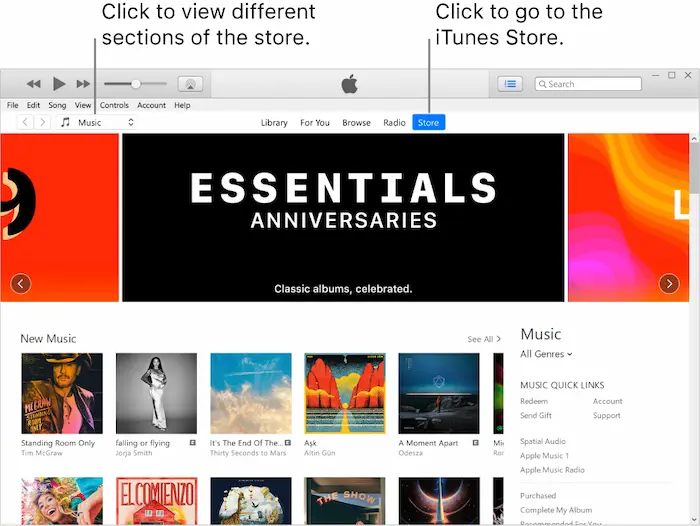
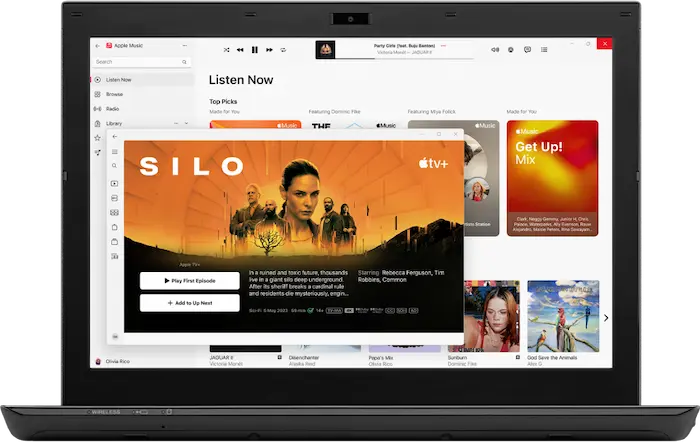
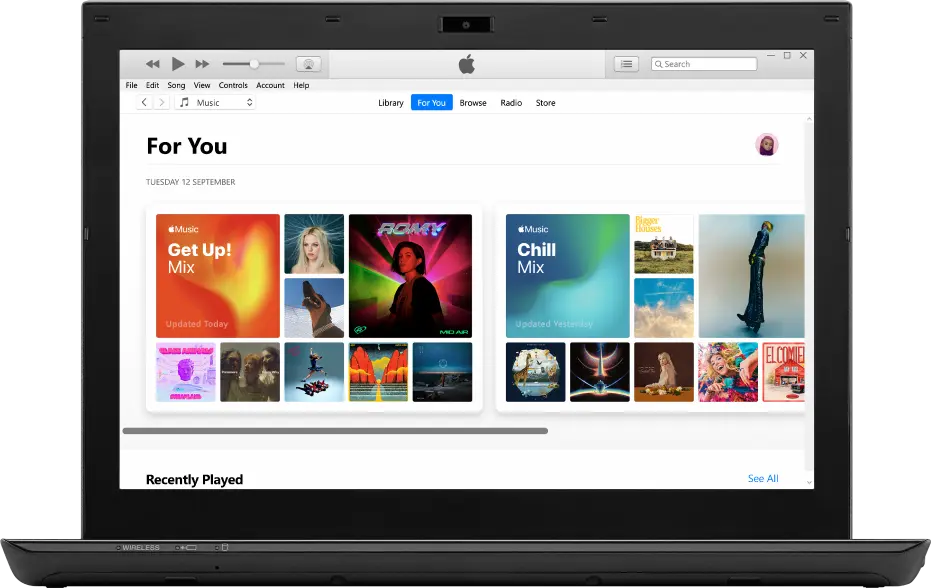
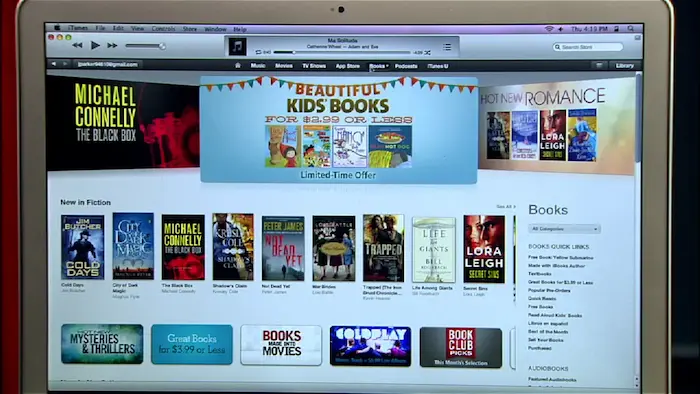
ScreenShots of iTunes for Windows
System Requirements
- Operating System: Windows 10 or Windows 11 (64-bit versions)
- Processor: 1GHz Intel or AMD processor
- RAM: Minimum 512MB of RAM (1GB recommended)
- Hard Disk Space: 400MB of available disk space
- Screen Resolution: 1024×768 or higher display resolution
- Internet Connection: Required for accessing the iTunes Store and Apple Music
- Apple ID: Necessary for purchases and syncing with Apple services
- USB Port: Required for connecting and syncing iOS devices
Technical Details
- Software Name: iTunes for Windows
- Latest Version: 12.13 (varies with updates)
- File Size: Approximately 260MB
- Developer: Apple Inc.
- License: Freeware
- Category: Media Player and Library Management
- Language Support: Multiple languages including English, Spanish, French, German, and more
- Compatibility: Works with iPhone, iPad, iPod, and Apple TV devices
- Update Frequency: Regular updates for bug fixes and new features
Related This:
- Cockos REAPER 7.58 (x86/x64) + Portable [Latest]
- DFX Audio Enhancer 12.023 Free Download
- 7-Zip 25.01 Final + Portable Download
How To Download And Install?
- Click the “Get” or “Download” button and wait for the installer file to download to your computer
- Once downloaded, double-click the installer file to start the installation process
- Follow the on-screen prompts, accept the license agreement, and click “Install” to begin
- Wait for the installation to complete, then click “Finish” and launch iTunes from your Start menu or desktop shortcut
FAQs
Yes, iTunes for Windows is still available and supported by Apple. Windows users can download it directly from the Microsoft Store or Apple’s official website.
Yes, you can use iTunes on Windows without owning an iPhone. The software works as a standalone media player for organizing and playing music, movies, podcasts, and other content.
Yes, iTunes for Windows is completely free to download and use. However, purchasing content from the iTunes Store or subscribing to Apple Music requires separate payment.
No, uninstalling iTunes will not delete your music files from your computer. Your media files remain stored in their original location, typically in your Music folder.
![Cockos REAPER 7.58 (x86/x64) + Portable [Latest]](https://thetopfile.com/wp-content/uploads/2026/01/cockos-reaper_n7gw-696x430.webp)