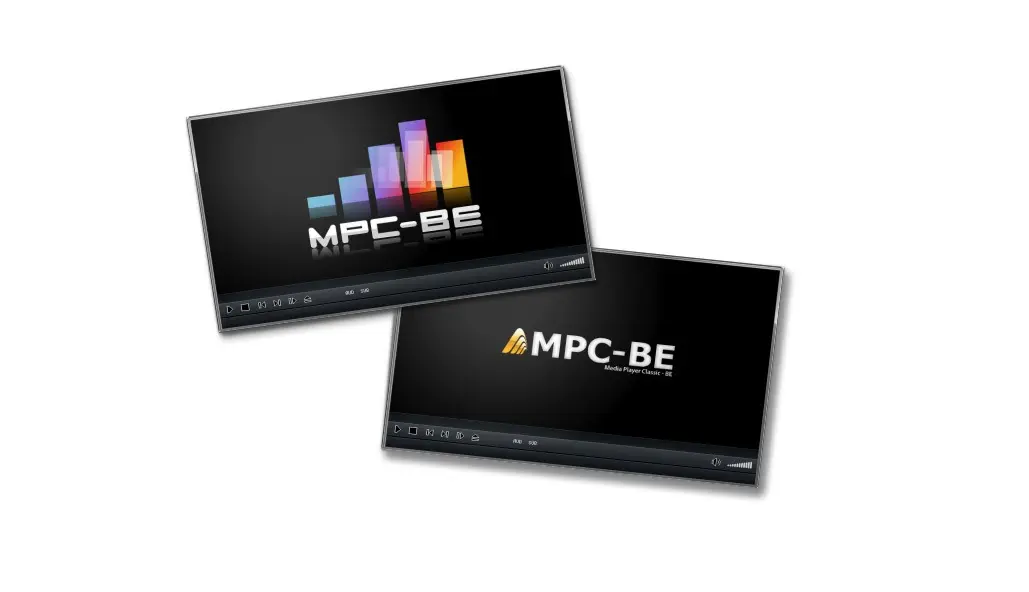
What does Media Player Classic Black Edition do?
Media Player Classic Black Edition Latest Version is a free, lightweight video player for Windows. It plays almost any media file without needing extra codecs. This makes it a reliable choice for watching movies, videos, and listening to music on your computer.
The software uses minimal system resources, so it runs smoothly even on older PCs. It includes useful features like customizable keyboard shortcuts, subtitle support, and advanced playback controls. The black-themed interface reduces eye strain during long viewing sessions.
This player works well for anyone who wants a simple, no-nonsense media solution. Students, professionals, and home users appreciate its straightforward design and consistent performance. Whether you’re watching high-definition videos or standard formats, Media Player Classic Black Edition handles your media files efficiently without complicated settings or bloated features.
What Problem Does Media Player Classic Black Edition Solve?
Many Windows users struggle with default media players that don’t support all video formats. You might download a movie only to find it won’t play. Or your current player crashes with certain file types. Media Player Classic Black Edition solves these frustrations.
This software plays nearly every media format without installing additional codec packs. You don’t need to search for missing codecs or worry about compatibility issues. It simply works with MKV, AVI, MP4, FLAC, and dozens of other formats right away.
The player also addresses performance problems. Heavy media players slow down older computers and consume too much memory. This lightweight alternative runs smoothly even on low-spec machines. It starts quickly and doesn’t drain your system resources.
Another common issue is poor subtitle support. Media Player Classic Black Edition handles subtitle files easily. You can adjust timing, change fonts, and customize appearance without hassle. Users who watch movies late at night appreciate the dark interface. It reduces screen glare and eye strain.
The simple controls let you focus on content rather than figuring out complicated menus. This player benefits students watching lecture videos, movie enthusiasts with large collections, and anyone tired of format compatibility headaches.
What Are Its Top Features?
Wide Format Support Without Extra Downloads
Media Player Classic Black Edition plays almost every video and audio file you can find. You don’t need to install separate codec packs or additional software. The player handles popular formats like MP4, MKV, AVI, FLV, and WMV without any problems. It also supports audio files including MP3, FLAC, AAC, and many others.
This means you can watch any movie or listen to any song right after installation. You save time because you don’t have to search for missing codecs online. The player recognizes your files automatically and starts playing them immediately.
Lightweight Performance for All Computers
This media player uses very little memory and processing power on your computer. It runs smoothly even on older machines that struggle with heavy software. The program starts up quickly and doesn’t slow down your system during playback. You can watch high-definition videos without experiencing lag or stuttering.
The small file size means the installation completes in seconds. Your computer stays responsive while the player runs in the background. This makes it perfect for students, home users, and anyone with basic hardware who wants reliable media playback.
Easy Subtitle Customization
Media Player Classic Black Edition gives you full control over subtitle appearance and timing. You can load external subtitle files in formats like SRT, ASS, and SSA with one click. The player lets you adjust subtitle size, color, and position on the screen. You can sync subtitles perfectly with the video if they appear too early or too late.
The software supports multiple subtitle tracks, so you can switch between different languages easily. You can also change the font style to make subtitles easier to read. These options help you enjoy foreign films, learn new languages, or follow dialogue more clearly.
Dark-Themed Interface for Comfortable Viewing
The player features a sleek black interface that reduces eye strain during long viewing sessions. The dark theme looks modern and keeps your focus on the video content. Bright white interfaces can hurt your eyes when you watch movies at night. This black design solves that problem and creates a cinema-like experience.
The controls remain visible but don’t distract you from the screen. The minimalist layout removes unnecessary buttons and clutter. You get a clean, professional appearance that enhances your overall viewing comfort.
Customizable Keyboard Shortcuts
You can control playback entirely through keyboard shortcuts that you set yourself. The software comes with default hotkeys for common actions like play, pause, and volume control. You can change any shortcut to match your personal preferences and habits. This feature lets you navigate videos quickly without reaching for your mouse.
You can skip forward, adjust volume, or switch audio tracks with simple key presses. Power users appreciate this flexibility because it speeds up their workflow. The customization options make the player adapt to your style rather than forcing you to learn fixed controls.
Advanced Playback Controls
Media Player Classic Black Edition includes professional-level playback features that give you precise control. You can adjust playback speed to watch videos faster or slower without changing the audio pitch. The frame-stepping option lets you move through videos one frame at a time for detailed analysis. You can create bookmarks to save specific positions in long videos.
The player supports looping sections, which helps when you study tutorials or learn dance moves. You get options to capture screenshots at full video resolution. These advanced tools serve students, content creators, and anyone who needs more than basic play and pause buttons.
Multiple Audio Track Support
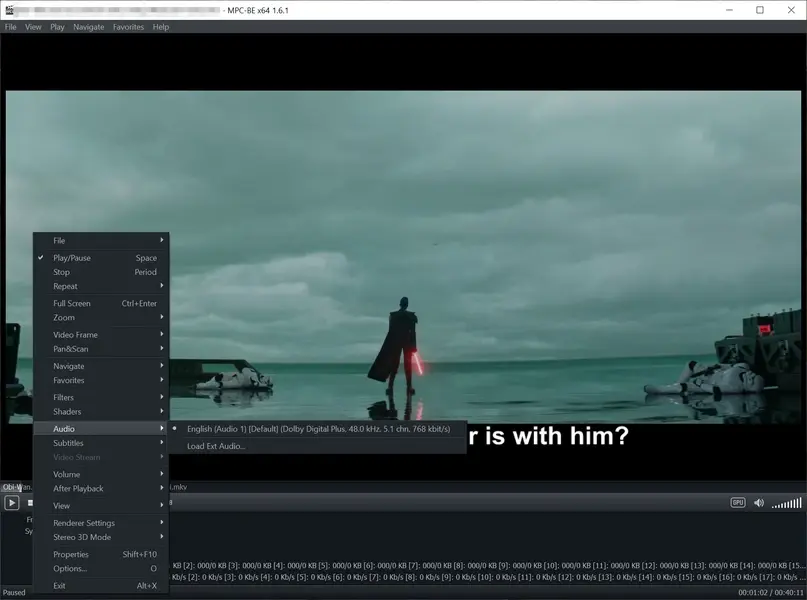
The player handles videos with multiple audio tracks and lets you switch between them instantly. Many movies and shows include different language options or commentary tracks in the same file. You can choose your preferred audio stream from a simple menu during playback. The software maintains perfect synchronization between video and whichever audio track you select.
This feature benefits multilingual families, language learners, and movie collectors with international content. You don’t need separate video files for different languages. The player remembers your audio preferences for future playback sessions.
Low System Resource Usage
Media Player Classic Black Edition runs efficiently without consuming excessive CPU or RAM. The software leaves plenty of resources available for other programs you need to use. You can browse the internet, work on documents, or chat with friends while videos play smoothly. The player doesn’t create heat or drain laptop batteries like resource-hungry alternatives do.
It achieves excellent video quality while maintaining this light footprint. The efficient design means you won’t hear your computer’s fans spinning loudly during playback. This careful resource management makes the player ideal for multitasking and extended use on any Windows computer.
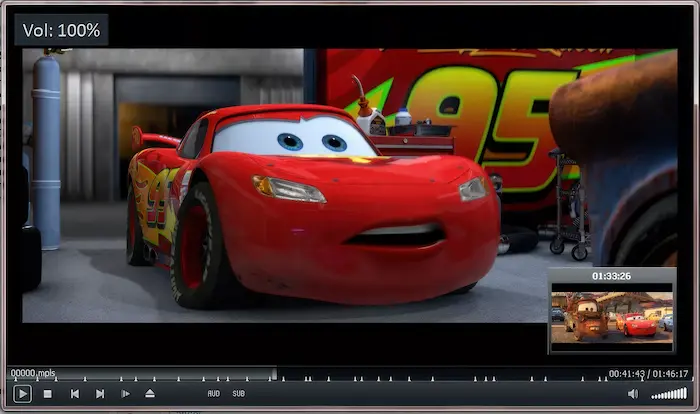
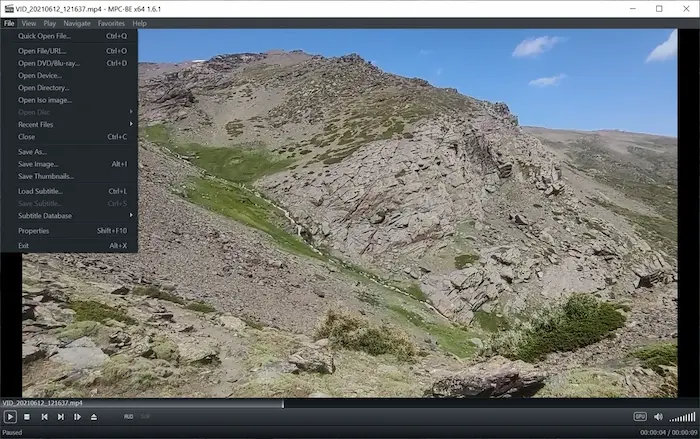
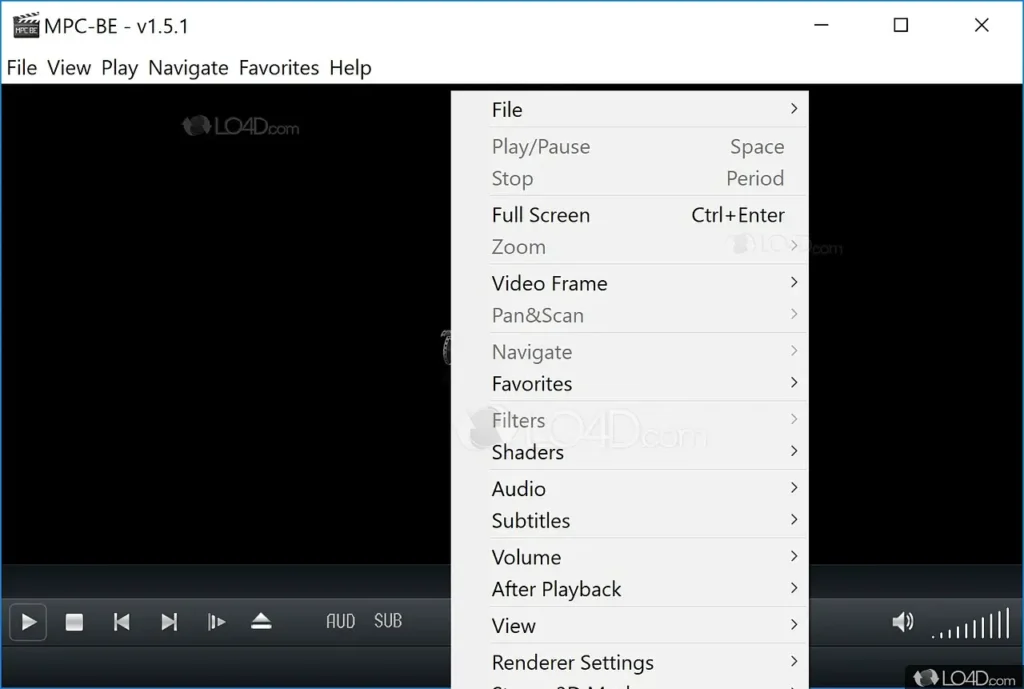
ScreenShots of Media Player Classic Black Edition
System Requirements
- Operating System: Windows 7, Windows 8, Windows 8.1, Windows 10, Windows 11 (32-bit and 64-bit versions)
- Processor: Intel Pentium 4 or AMD Athlon 64 processor (1.5 GHz or faster recommended)
- RAM: 512 MB minimum (1 GB or more recommended for HD video playback)
- Hard Disk Space: 50 MB of free disk space for installation
- Graphics Card: DirectX 9.0c compatible graphics card with 64 MB video memory
- Display: 800 x 600 screen resolution minimum (1920 x 1080 or higher recommended)
- Additional Requirements: DirectX 9.0c or later installed on the system
Technical Details
- Software Name: Media Player Classic Black Edition
- Version: Latest stable release (varies by download date)
- File Size: Approximately 15-25 MB (depending on version)
- License Type: Freeware (100% free with no paid upgrades)
- Developer: Community-developed open-source project
- Language Support: Multiple languages including English, Spanish, French, German, and others
- Architecture Support: Both 32-bit (x86) and 64-bit (x64) versions available
- Installation Type: Standalone installer with portable version option
- Updates: Regular community updates and bug fixes
- Internet Connection: Not required for basic functionality (only needed for downloads and updates)
Related This:
- GOM Player Plus 2.3.95.5366 + Portable (Latest)
- CyberLink PowerDVD Ultra 24 for Windows
- GoldWave 7.03 + Portable Latest
How To Download And Install?
- Click the download button and choose the version that matches your Windows system (32-bit or 64-bit).
- Wait for the installer file to download completely to your computer, which takes just a few seconds.
- Double-click the downloaded file and click “Yes” when Windows asks for permission to run the installer.
- Follow the on-screen instructions, choose your preferred installation folder, and click “Next” until the installation completes.
- Click “Finish” to close the installer, then launch Media Player Classic Black Edition from your desktop shortcut or Start menu.
FAQs
Yes, Media Player Classic Black Edition is completely safe when downloaded from official or trusted sources. It contains no malware, adware, or bundled software that could harm your computer.
Yes, it can replace VLC for most users as both players support similar formats and features. The choice depends on personal preference for interface design and specific advanced features you need.
The software receives periodic community-driven updates, though less frequently than commercial players. The existing stable version remains fully functional for all common media playback needs.
Media Player Classic Black Edition features a dark-themed interface, includes additional codec support, and offers enhanced subtitle rendering compared to the standard Media Player Classic version.